Configure payment notifications
Webhooks, also known as web callbacks, are an effective method that allows Mercado Pago servers to send real-time information when a specific event related to your integration occurs.
Instead of your system constantly polling for updates, Webhooks allow for passive and automatic data transmission between Mercado Pago and your integration through an HTTP POST request, optimizing communication and reducing server load.
Check the general flow of a notification in the diagram below.
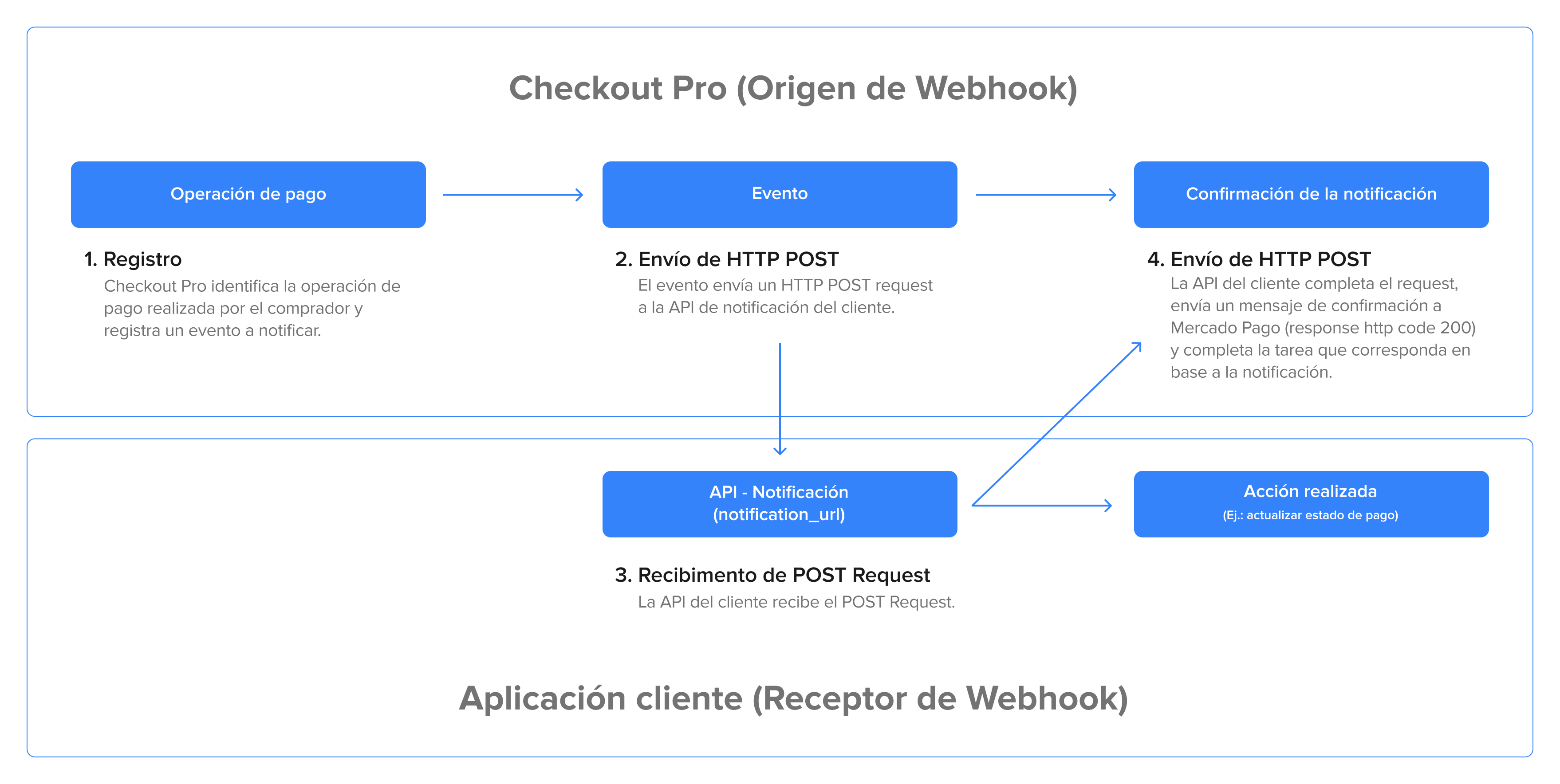
Below, we present a step-by-step guide to configure payment creation and update notifications. Once configured, Webhook notifications will be sent every time a payment is created or its status is modified (Pending, Rejected, or Approved).
In the process of integrating with Mercado Pago, you can configure notifications in two ways:
| Configuration Type | Description | Advantages | When to Use |
| Configuration through Your integrations | This method allows you to configure notifications directly in your Developer Panel. You can set up notifications for each of your applications, identify different accounts if necessary, and validate the origin of the notification using a secret signature. | - Simple identification of different accounts, ensuring proper management in diverse environments. - High security by validating the origin of notifications via a secret signature, which guarantees the integrity of the received information. - More versatile and effective for maintaining centralized control and efficiently managing communication with applications. | Recommended for most integrations. |
| Configuration during the creation of preferences | Notifications are configured for each transaction individually during the preference creation process. | - Specific adjustments for each transaction. - Flexibility in cases where dynamic mandatory parameters are needed. - Ideal for integrations like payment platforms for multiple sellers. | Convenient in cases where it is necessary to send a dynamic query parameter mandatorily, and also suitable for integrations that function as a payment platform for multiple sellers. |
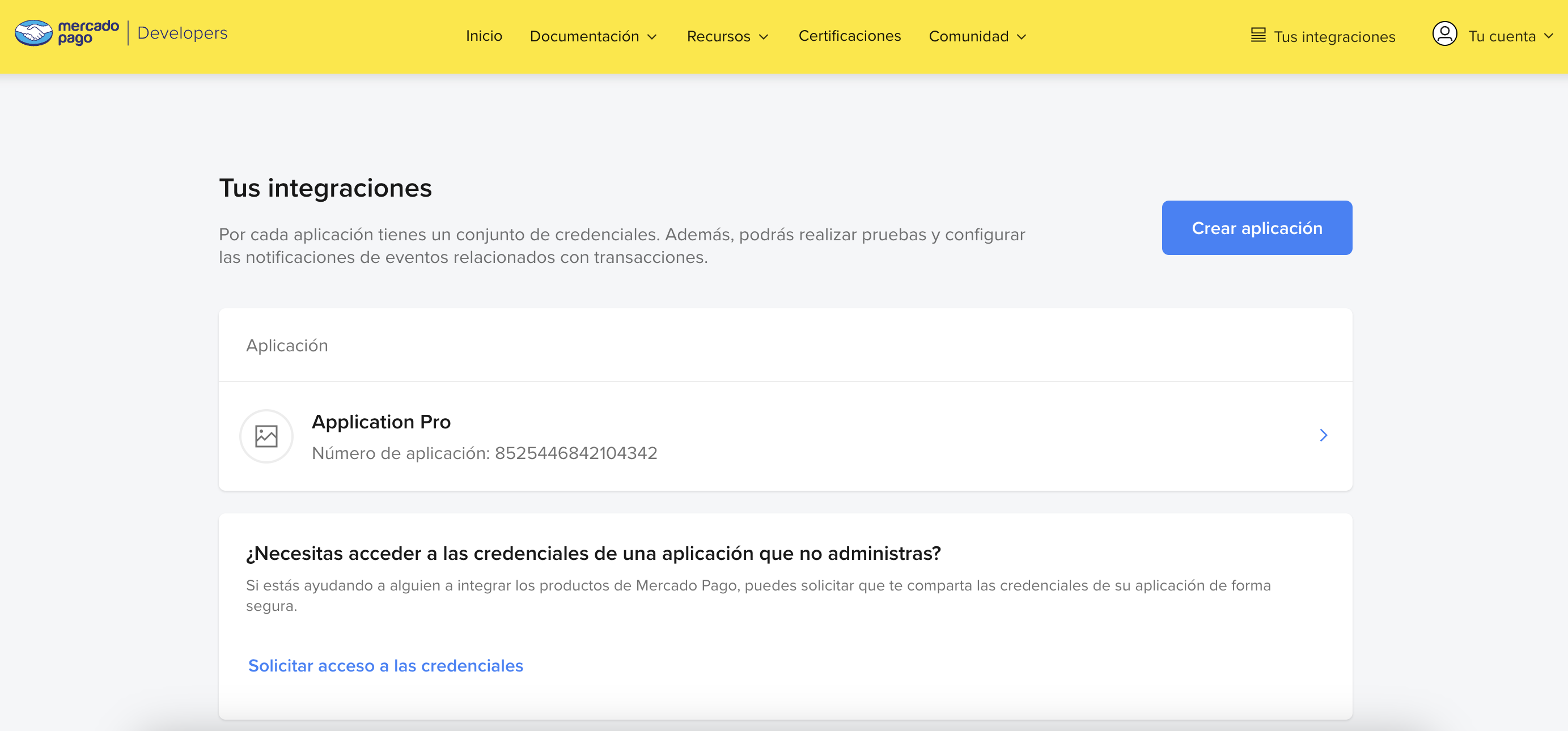

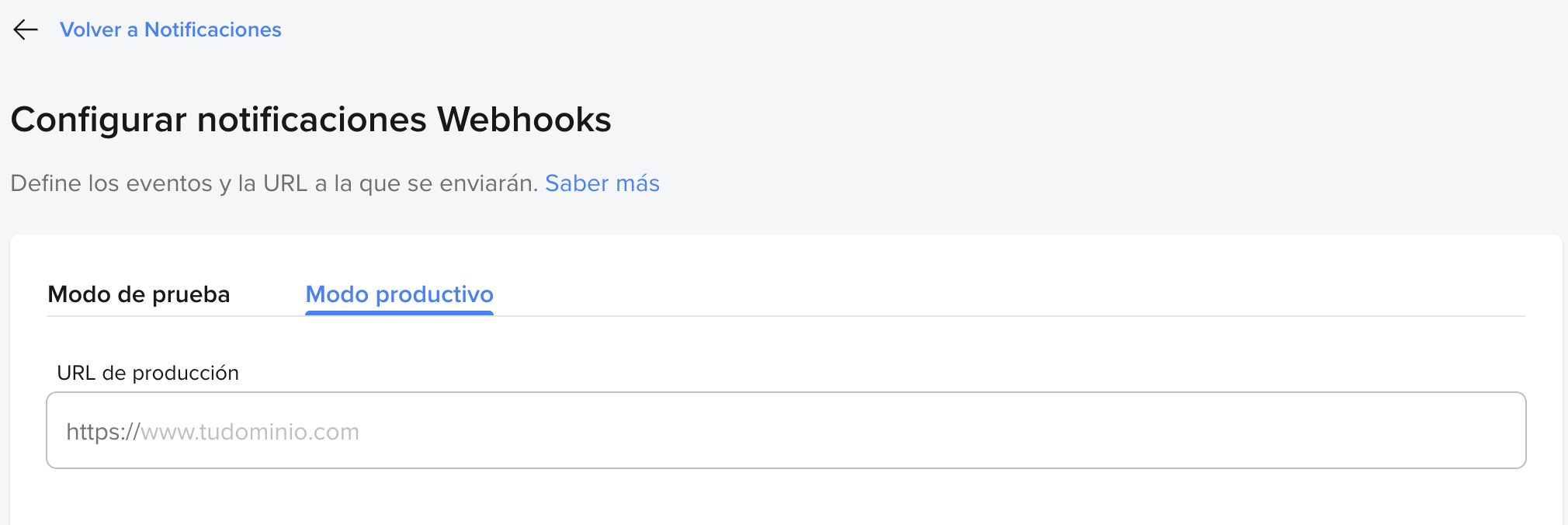
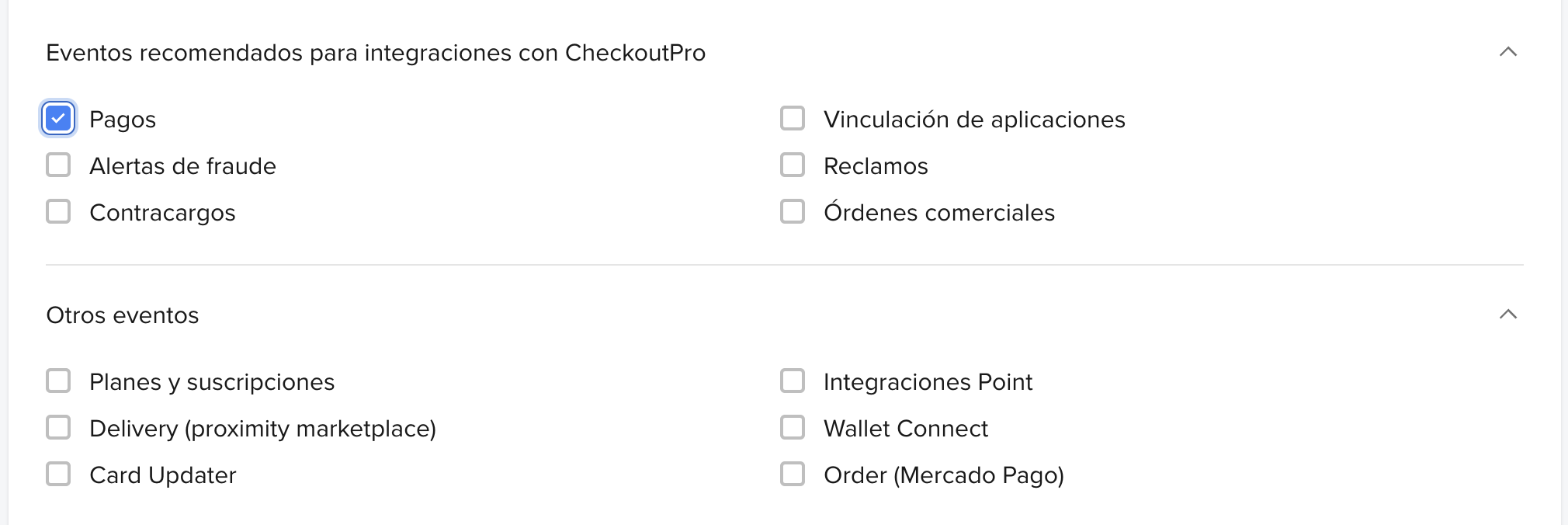
Once notifications are configured, check the Necessary actions after receiving a notification to inform that they were properly received.
Necessary actions after receiving the notification
When you receive a notification on your platform, Mercado Pago expects a response to validate that the reception was correct. For this, you must return an HTTP STATUS 200 (OK) or 201 (CREATED).
The timeout for this confirmation will be 22 seconds. If this response is not sent, the system will understand that the notification was not received and will make a new attempt to send it every 15 minutes until it receives the response. After the third attempt, the interval will be extended, but the sending will continue.
sequenceDiagram
    participant MercadoPago as Mercado Pago
    participant Integrator as Integrator

    MercadoPago->>Integrator: retry: 1. Delay: 0 minutes
    MercadoPago->>Integrator: retry: 2. Delay: 15 minutes
    MercadoPago->>Integrator: retry: 3. Delay: 30 minutes
    MercadoPago->>Integrator: retry: 4. Delay: 6 hours
    MercadoPago->>Integrator: retry: 5. Delay: 48 hours
    MercadoPago->>Integrator: retry: 6. Delay: 96 hours
    MercadoPago->>Integrator: retry: 7. Delay: 96 hours
    MercadoPago->>Integrator: retry: 8. Delay: 96 hours
After responding to the notification, confirming its receipt, you can obtain all information about the notified payments topic event by making a GET request to the endpoint v1/payments/{id}.
With this information, you will be able to make the necessary updates to your platform, such as updating an approved payment.
Additionally, to check the status of the event after the notification, you can use the various methods of our SDKs to perform the query with the ID that was sent in the notification.
MercadoPago.SDK.setAccessToken("ENV_ACCESS_TOKEN");
switch (type) {
    case "payment":
        Payment payment = Payment.findById(data.id);
        break;
    case "plan":
        Plan plan = Plan.findById(data.id);
        break;
    case "subscription":
        Subscription subscription = Subscription.findById(data.id);
        break;
    case "invoice":
        Invoice invoice = Invoice.findById(data.id);
        break;
    case "point_integration_wh":
        // POST contiene la informaciòn relacionada a la notificaciòn.
        break;
}mercadopago.configurations.setAccessToken('ENV_ACCESS_TOKEN');
switch (type) {
case 'payment':
const payment = await mercadopago.payment.findById(data.id);
break;
case 'plan':
const plan = await mercadopago.plans.get(data.id);
break;
case 'subscription':
const subscription = await mercadopago.subscriptions.get(data.id);
break;
case 'invoice':
const invoice = await mercadopago.invoices.get(data.id);
break;
case 'point_integration_wh':
// Contiene la informaciòn relacionada a la notificaciòn.
break;
}sdk = Mercadopago::SDK.new('PROD_ACCESS_TOKEN')
case payload['type']
when 'payment'
payment = sdk.payment.search(filters: { id: payload['data']['id'] })
when 'plan'
plan = sdk.preapproval_plan.search(filters: { id: data['data']['id'] })
endMercadoPagoConfig.AccessToken = "ENV_ACCESS_TOKEN";
switch (type)
{
case "payment":
Payment payment = await Payment.FindByIdAsync(payload["data"]["id"].ToString());
break;
case "plan":
Plan plan = await Plan.FindByIdAsync(payload["data"]["id"].ToString());
break;
case "subscription":
Subscription subscription = await Subscription.FindByIdAsync(payload["data"]["id"].ToString());
break;
case "invoice":
Invoice invoice = await Invoice.FindByIdAsync(payload["data"]["id"].ToString());
break;
case "point_integration_wh":
// Contiene la informaciòn relacionada a la notificaciòn.
break;
}sdk = mercadopago.SDK("ENV_ACCESS_TOKEN")
notification_type = data["type"]
if notification_type == "payment":
payment = sdk.payment().get(payload["data"]["id"])
elif notification_type == "plan":
plan = sdk.preapproval().get(payload["data"]["id"])
elif notification_type == "subscription":
subscription = sdk.preapproval().get(payload["data"]["id"])
elif notification_type == "invoice":
invoice = sdk.invoice().get(payload["data"]["id"])
elif notification_type == "point_integration_wh":
# Contiene la informaciòn relacionada a la notificaciòn.
else:
returncfg, err := config.New("ENV_ACCESS_TOKEN")
if err != nil {
fmt.Println(err)
}
switch req.Body.Type {
case "payment":
client := payment.NewClient(cfg)
resource, err = client.Get(context.Background(), req.Body.data.id)
if err != nil {
fmt.Println(err)
return
}
case "plan":
client := preapprovalplan.NewClient(cfg)
resource, err := client.Get(context.Background(), req.Body.data.id)
if err != nil {
fmt.Println(err)
return
}
}